CreatorConfig is supported by its audience. We may earn commissions from qualifying purchases through affiliate links on this page. Full disclosure
Why this guide exists
Xbox Series X capture cards sit between your console and your TV, routing HDMI video to your streaming PC so you can broadcast gameplay without sacrificing quality or adding latency. The right card preserves your 4K HDR gaming experience while delivering a clean capture signal to OBS. This guide covers the best capture cards for Xbox Series X, chosen for their passthrough resolution, HDR support, VRR compatibility, and overall streaming reliability. Every pick works with CreatorConfig so you can compare parts, check prices, and build your full streaming setup.
Quick Comparison: Best Capture Cards for Xbox Series X
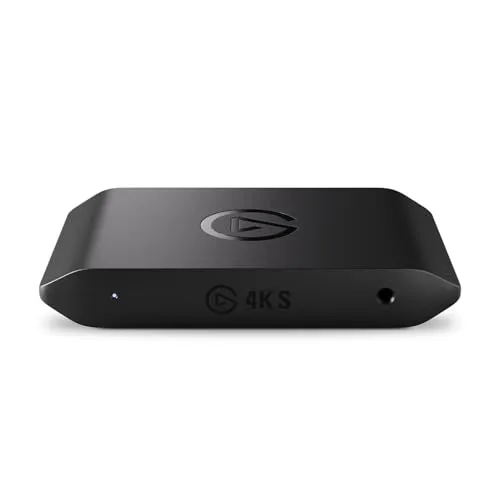
Elgato 4K S
Best Overall
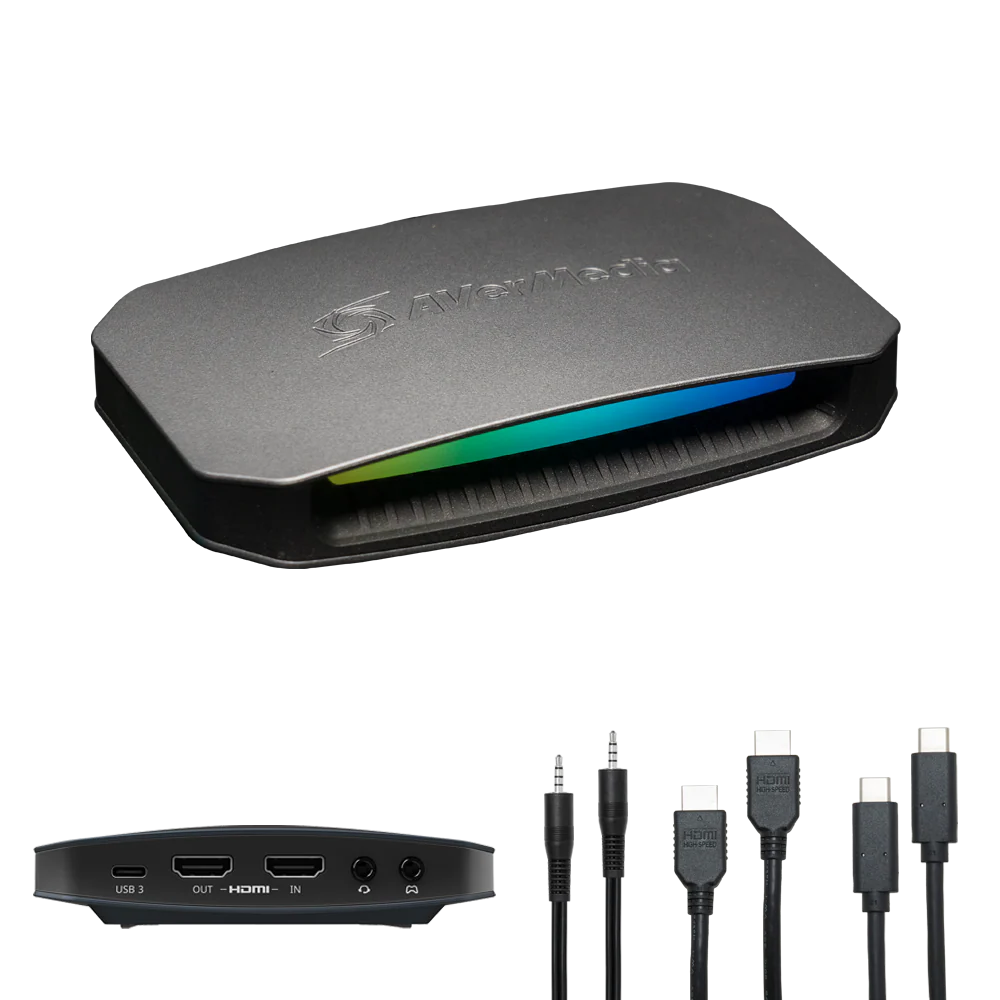
AVerMedia ULTRA 2.1
Best for 4K Gaming
Elgato 4K S
Key Specifications
The Elgato 4K S is the best capture card for Xbox Series X streaming for most people. It captures uncompressed 1080p60 video over USB-C and passes a 4K60 HDR signal straight through to your TV with near-zero latency. If you want to play Xbox Series X games at full 4K60 on your display while simultaneously streaming at 1080p60, this card handles both without breaking a sweat.
The USB-C connection delivers more bandwidth and a more reliable physical connection than older USB 3.0 Micro-B cables, which matters during long streaming sessions where a loose cable can drop your feed. Elgato includes their Signal Boost technology that automatically optimizes the capture signal to reduce visual artifacts and keep colors accurate. This is especially noticeable on Xbox Series X titles with vivid HDR color palettes like Forza Horizon 5 and Halo Infinite.
Setting up the 4K S with Xbox Series X is straightforward. You connect the HDMI out from your Xbox into the capture card input, then connect the card output to your TV or monitor, and finally plug the USB-C cable into your streaming PC. OBS detects it immediately as a standard video capture device. Elgato Camera Hub software lets you adjust brightness, contrast, saturation, and sharpness without touching OBS filters, which is handy for fine-tuning your stream picture.
The 4K S works with OBS, Streamlabs, XSplit, and every major streaming platform. It also doubles as a webcam source for video calls and recording. For Xbox Series X owners who want a single capture card that handles 4K passthrough, 1080p60 streaming, and reliable software support, the Elgato 4K S is the clear top choice.
Why it wins
- • 4K60 HDR passthrough with near-zero latency
- • Uncompressed 1080p60 capture over USB-C
- • Signal Boost for accurate colors on Xbox titles
Skip if
- • You play at 4K120 and need full HDMI 2.1 passthrough
- • You need VRR passthrough for competitive gaming
- • You want the cheapest possible capture card
AVerMedia Live Gamer ULTRA 2.1
Key Specifications
The AVerMedia Live Gamer ULTRA 2.1 is the only capture card in this guide with HDMI 2.1 on both input and output, and that makes it the best option for Xbox Series X owners who play at 4K120 with VRR enabled. The Xbox Series X supports up to 4K120 output on HDMI 2.1 displays, and the ULTRA 2.1 passes that full-bandwidth signal through to your TV without downscaling or stripping VRR support.
For streaming, the ULTRA 2.1 captures at up to 4K144 using MJPEG through AVerMedia Streaming Center software, or at 4K60 through OBS on Mac. For most Xbox Series X streamers who broadcast at 1080p60, the card downscales internally and delivers a clean uncompressed 1080p60 feed to OBS on Windows. The 5.1 channel audio passthrough and capture is a significant advantage over cheaper cards that only handle stereo, especially for Xbox titles with spatial audio like Call of Duty and Starfield.
AVerMedia RECentral software provides capture settings, direct-to-disk recording, and basic color corrections, but you can manage everything inside OBS if you prefer. The card works as a standard UVC device on Windows 10 and 11 with no driver installation required. Build quality is solid with an aluminum housing that dissipates heat well during extended sessions.
The main trade-off is price. At $299.99, the ULTRA 2.1 costs significantly more than the Elgato 4K S. If you do not play at 4K120 or need VRR passthrough, the Elgato 4K S delivers the same 1080p60 streaming quality for less money. But if you want your capture card to be completely transparent to your gaming experience, preserving every frame and feature of your Xbox Series X output, the ULTRA 2.1 is the only card that fully delivers.
Why it wins
- • Only card here with full HDMI 2.1 passthrough
- • Preserves 4K120 with VRR for your TV
- • 5.1 channel audio capture for spatial sound
Skip if
- • You do not play at 4K120 or need VRR
- • The $299.99 price is beyond your budget
- • You only need 1080p60 passthrough
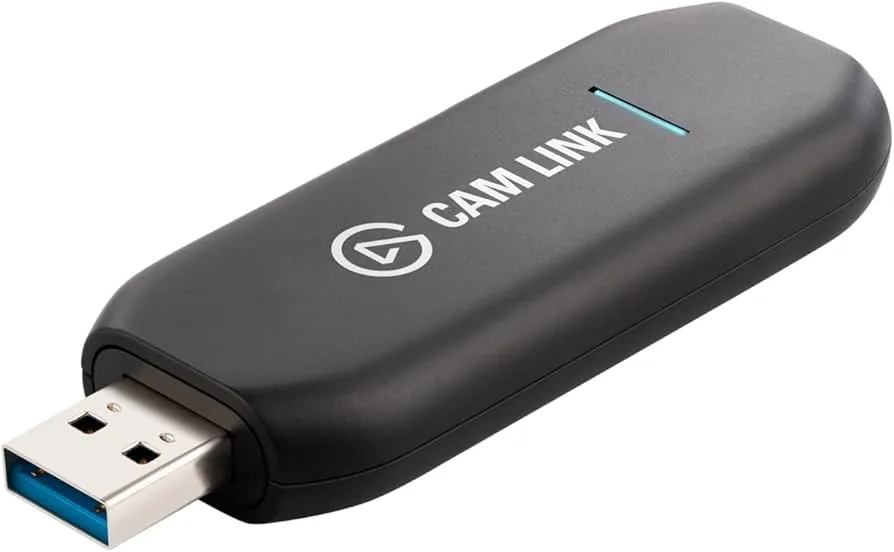
Elgato HD60 X
Key Specifications
The Elgato HD60 X sits at the same price point as the 4K S but targets a slightly different use case. While the 4K S captures at up to 4K60, the HD60 X is purpose-built for 1080p60 capture with an emphasis on HDR passthrough quality. It passes 4K60 HDR10 signals through to your TV and captures at 1080p60, which is exactly what most Xbox Series X streamers need.
Where the HD60 X stands out is HDR handling. The passthrough supports HDR10 with wide color gamut, so your gaming experience on the TV looks identical to plugging the Xbox directly into the display. The VRR passthrough support means your TV retains its adaptive sync features while the card is in the signal chain, which is important for competitive Xbox titles where input lag matters.
The HD60 X captures uncompressed 1080p60 video over USB-C and works with OBS, Streamlabs, and XSplit without proprietary drivers. Elgato Camera Hub provides color adjustments, and the card also supports 1440p120 and 1080p240 passthrough for high-refresh-rate gaming monitors. If your streaming PC has a USB-C port and you primarily care about clean 1080p60 capture with the best possible passthrough quality, the HD60 X is a strong alternative to the 4K S.
The main reason to pick the 4K S over the HD60 X is if you want 4K capture capability for future-proofing. Otherwise, both cards deliver identical 1080p60 streaming quality. The HD60 X is a reliable workhorse that performs consistently during Xbox Series X streaming sessions.
Why it wins
- • Excellent HDR10 and VRR passthrough
- • Clean 1080p60 capture at a fair price
- • Driver-free USB-C setup with OBS
Skip if
- • You need 4K capture, not just passthrough
- • You play at 4K120 and need HDMI 2.1
- • You want the most affordable Elgato option
Elgato Game Capture Neo
Key Specifications
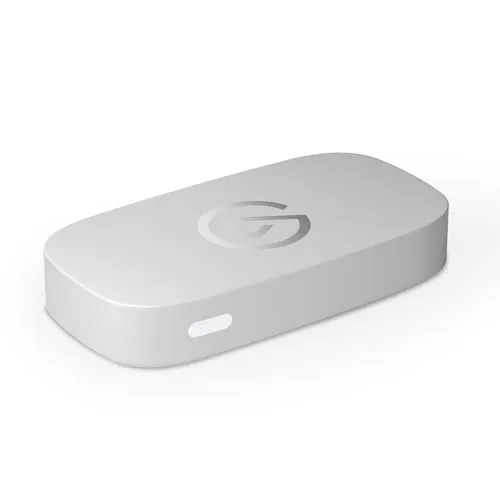
The Elgato Game Capture Neo is the most affordable capture card in this guide, and it is the best starting point for Xbox Series X owners who want to try streaming without a large upfront investment. At $119.99, it captures 1080p60 video over USB-C and includes HDMI passthrough so you can play on your TV while streaming.
The Neo uses the same UVC standard as the larger Elgato cards, which means it works with OBS, Streamlabs, and every other major capture tool without proprietary drivers. Elgato Camera Hub software is available for color and exposure adjustments, but you can manage everything inside OBS if you prefer. The plug-and-play experience is identical to the 4K S and HD60 X, just in a smaller package.
The trade-off is passthrough quality. The Neo passes through at up to 4K60, which is adequate for most setups, but it does not support HDR passthrough or VRR. If you play Xbox Series X games with HDR enabled and want that to carry through to your TV, you should step up to the HD60 X or 4K S. For 1080p60 passthrough, the Neo works perfectly fine.
The compact size is a genuine advantage. The Neo is small enough to fit in a backpack or sit behind a monitor without dominating your desk space. It also works as a webcam input for video calls and recording software. If you are just getting started with Xbox streaming and want a reliable Elgato card at the lowest possible price, the Game Capture Neo is the one to get.
Why it wins
- • Most affordable Elgato capture card
- • Plug-and-play with OBS, no drivers needed
- • Ultra-compact size for portable setups
Skip if
- • You need HDR or VRR passthrough
- • You want 4K capture capability
- • You play at 4K120 on your TV
Razer Ripsaw HD
Key Specifications
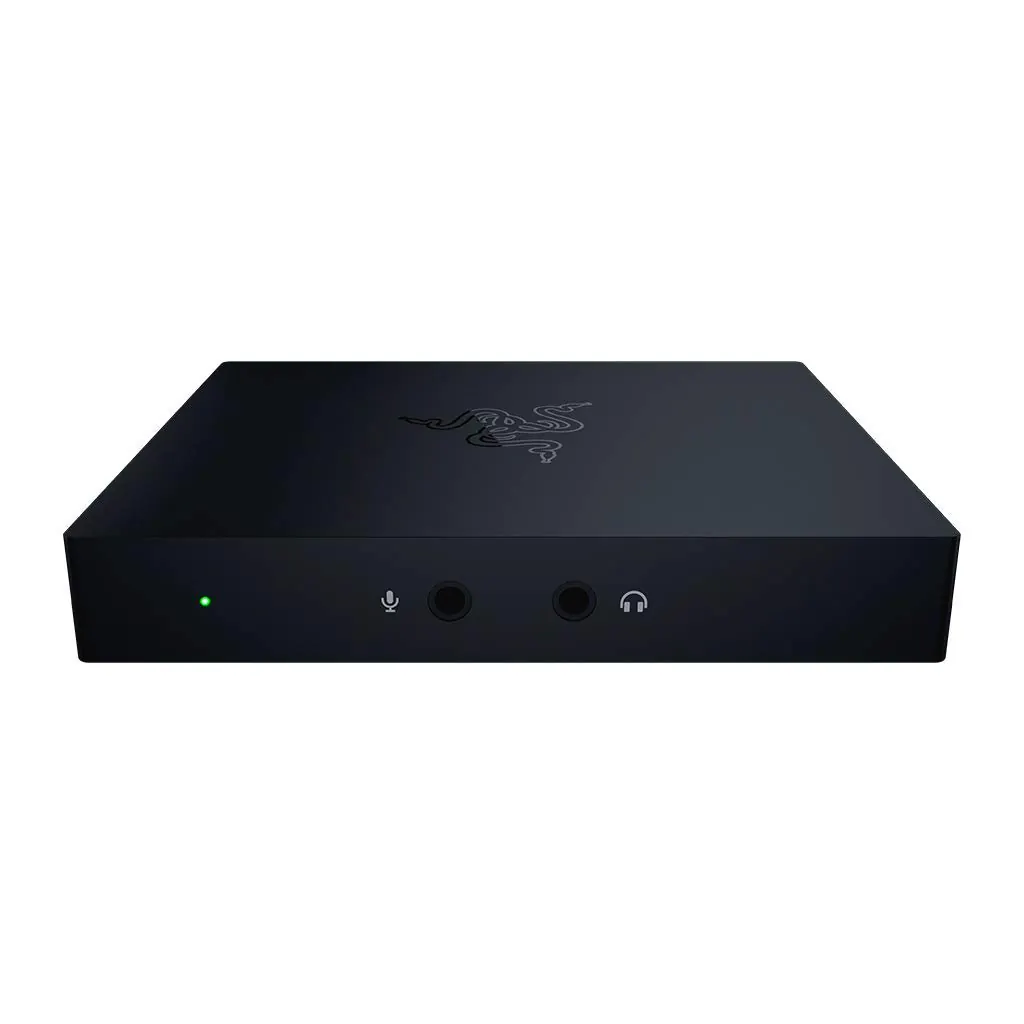
The Razer Ripsaw HD is a solid external capture card that captures uncompressed 1080p60 video with 4K30 passthrough. At $149, it sits between the budget Neo and the mid-range Elgato options, offering a good balance of price and performance for Xbox Series X streaming.
The Ripsaw HD uses a USB-C connection and HDMI 2.0 for both input and output. It works as a standard UVC device, so OBS, Streamlabs, and XSplit all detect it automatically without proprietary drivers. Razer does not bundle dedicated capture software, which some users prefer because it means fewer background processes competing for system resources during streams.
Build quality is premium. The aluminum body feels durable and matches the aesthetic of other Razer peripherals, which matters if you want a coordinated desk setup. The card stays cool during long capture sessions thanks to the metal housing. The compact size means it fits easily alongside your Xbox Series X and streaming PC without cluttering your workspace.
The main limitation is the 4K30 passthrough. If your Xbox Series X is set to 4K120, the Ripsaw HD will not pass that signal through at full refresh rate. You would need to set your Xbox output to 4K30 or 1080p60 for the passthrough to work correctly. If you play at 4K60 or 4K120 on your TV, the Elgato 4K S or AVerMedia ULTRA 2.1 are better choices. But if you play at 1080p60 or 1440p on your display, the Ripsaw HD delivers clean capture quality at a fair price.
Why it wins
- • Premium aluminum build and Razer aesthetics
- • Driver-free UVC with OBS and Streamlabs
- • Fair price for 1080p60 uncompressed capture
Skip if
- • You need 4K60 passthrough (this is 4K30 only)
- • You play at 4K120 with VRR
- • You want bundled capture software
How to Set Up a Capture Card with Xbox Series X
Connecting a capture card to your Xbox Series X takes about five minutes, but getting the optimal streaming settings right requires a bit more attention. Compare these Xbox capture cards side by side to find the right one for your setup. Here is how to configure your Xbox and OBS for the best results.
1. Connect Your Xbox Series X to the Capture Card
Plug an HDMI cable from the HDMI Out port on the back of your Xbox Series X into the HDMI In port on your capture card. Then connect a second HDMI cable from the HDMI Out port on the capture card to your TV or gaming monitor. This daisy-chain setup lets you play on your display while the card captures the signal simultaneously.
2. Set Your Xbox Output for Streaming
Go to Settings, General, TV and Display Options on your Xbox Series X. Under Setup, choose 1080p as your display output if you want the cleanest possible capture signal. If you want to play at 4K while capturing at 1080p, set the output to 4K UHD and let the capture card handle the downscale. Enable Allow 4K and Allow HDR if your capture card supports 4K HDR passthrough, like the Elgato 4K S or HD60 X.
3. Connect the Capture Card to Your Streaming PC
Plug the USB-C cable from your capture card into a USB 3.0 or higher port on your streaming PC. On a desktop, use a motherboard USB port directly rather than a case front-panel port for the most reliable bandwidth. Avoid USB hubs unless they are externally powered USB 3.0 hubs. OBS will detect the card as a Video Capture Device automatically on Windows 10 and 11.
4. Configure OBS for Xbox Series X Streaming
In OBS, add your capture card as a Video Capture Device source. Set the resolution to 1920x1080 and the framerate to 60 FPS. Use the NVENC encoder if your GPU supports it, as it delivers better quality at lower bitrates than x264. For Twitch streaming at 1080p60, set your bitrate to 6000 Kbps with CBR rate control. For YouTube, use 8000 to 10000 Kbps. Set the keyframe interval to 2 seconds. For a deeper dive into encoder settings, bitrate ladders, and scene optimization, see our OBS Studio settings guide.
5. Optimize Audio Settings
Xbox Series X outputs audio through HDMI, so your capture card will pick up game audio automatically. In OBS, set the capture card audio as a separate source so you can control game volume independently from your microphone. Use a noise gate on your mic input and a compressor to keep levels consistent. If you are using a headset connected to your Xbox controller for game chat, you may need to adjust the Xbox audio output settings to send game audio through HDMI rather than the controller.
If you are building a complete Xbox streaming setup, use our Creator builder tool to find compatible microphones, cameras, and lighting, or browse completed setups from other creators for inspiration.
Final Thoughts
The best capture card for Xbox Series X streaming depends on how you play and what you want your stream to look like. The Elgato 4K S is our top pick because it delivers reliable 1080p60 capture with 4K60 HDR passthrough, USB-C connectivity, and excellent software support in one device at a fair price.
If you play Xbox Series X at 4K120 with VRR and refuse to compromise your gaming experience, the AVerMedia Live Gamer ULTRA 2.1 is the only card with HDMI 2.1 that preserves every feature of your console output. For the best balance of price and passthrough quality, the Elgato HD60 X delivers outstanding HDR10 and VRR passthrough at the same $179.99 price point. If you are on a budget, the Elgato Game Capture Neo gets you started with 1080p60 streaming for $119.99. And if you want a premium Razer build, the Razer Ripsaw HD delivers at $149.
All five cards work with OBS, Streamlabs, and every major streaming platform out of the box. Pick the one that matches your TV resolution and budget, connect your Xbox Series X, and you will be streaming in minutes. For a broader look at capture card options across all consoles, see our best capture card for 1080p 60fps guide. To build a complete Xbox streaming setup, browse the parts database or check out completed setups from other creators.
For neutral technical references, see the Video capture overview on Wikipedia and the official OBS Studio site.